

Channels and use cases
Where you can use an IAMX AI character
An IAMX character is a conversational AI avatar: it listens, answers with an AI model and speaks, with lip sync wherever its avatar is shown. You configure it in IAMX Studio, then set up each place where conversations happen. Each section below says what works today, which plan it needs and what you provide.
In short
IAMX lets you configure a talking AI character in IAMX Studio and use it on websites (a one-script widget or an embed page), in phone browsers, on browser or Unreal Engine kiosks, in Windows Unreal Engine projects, for teaching and in live streams you capture with your own encoder. Phone calls through Telnyx are Enterprise-only, and Enterprise customers can evaluate a Windows on-premises edition by agreement. IAMX has no native mobile SDK and no built-in WhatsApp, SMS, Slack, Teams or Zoom channel.
Key facts
| Every plan | Website widget and embed with Site Guide, browser kiosk, Teacher Mode, live-stream console, within your usage units |
|---|---|
| Starter and higher | Knowledge documents, Gemini Live voice, external tools and APIs |
| Pro and higher | Face recognition, LiveFace photo avatars, OpenAI Realtime voice |
| Enterprise only | Phone calls through Telnyx; on-premises edition by agreement |
| Not built in | WhatsApp, SMS, Slack, Teams, Zoom, smart TV, VR/AR, native mobile SDKs, Unity, Godot |
| You provide | A site that allows custom scripts, kiosk hardware and lockdown, Unreal projects and assets, a GPU host for Pixel Streaming, your own APIs, on-premises AI services |
Websites: widget, embed, chatbot and customer service
Add the IAMX website widget with one script tag on any site that allows custom scripts, or place the conversation on a page with the iframe embed from the Publish tab; both work on every plan. The character must be Unlisted or Public, and your Content-Security-Policy must allow the IAMX script and iframe. Embeds are not locked to your domain: anyone who has the character's link can embed it on another site, and that usage also counts against your plan. Visitors can type or speak; typing works without a microphone, and every widget layout shows the avatar.
Site Guide is available on every plan and starts switched off. When you connect your website in Site Guide, publish the experience and keep the widget script on each page, the assistant can read the main visible text of the current public page, up to 6,000 characters; because IAMX also fetches public pages without signing in, logged-in, personalized or script-rendered content can be missing. A separate option keeps the conversation going as visitors move between your pages in the same browser tab, for up to 30 minutes and where browser storage allows it. The iframe embed alone does not read your page.
Knowledge documents need Starter or higher. Visitor conversations count against your plan. Each character allows at most 25 anonymous conversations at once and, by default, 10 from one network address, so a busy office or school network can reach that limit; there is no live-agent takeover. See the AI avatar for websites, AI chatbot and AI customer service agent.
Mobile: phone browsers today, no native SDK
The widget and embed adapt to phone browsers with a compact launcher, on every plan. Visitors may need to tap once before sound plays; speaking needs microphone permission, typing does not. Characters from the IAMX character library load a lighter version on phones, while uploaded avatars load at full size. IAMX has not recorded tests on real phones, voice input depends on the browser, and slow connections can take a long time to load the avatar, so test on the phones and networks your visitors use.
Want an AI avatar for your mobile app? IAMX offers no native iOS, Android, React Native or Flutter SDK, and in-app web views are not yet tested or supported, so voice input there may fail. For your own client, a real-time WebSocket API streams each turn's text, speech audio and lip-sync values; your app plays the audio and drives its own avatar. Each turn counts against your plan, and an IAMX API key built into an app can be extracted. The API reference is not public yet, so contact IAMX for documentation and to discuss authentication.
Kiosks: a browser or an Unreal Engine build
A published character can run full screen in a kiosk browser on every plan. You set up device lockdown, auto-start and microphone and camera permissions in the browser or operating system. Visitors tap the microphone once to talk hands-free, after the browser is allowed to use it. After a set idle time, a web 3D character can play an animation, a video or a greeting; sound plays only once audio is enabled on the device. A 3D character renders on the kiosk's own graphics hardware, and IAMX publishes no minimum specification, so test performance on your device.
On Pro and higher, opt-in face recognition can recognize a returning visitor whose face was enrolled earlier, once they switch the camera on with one face in view; you handle notices, consent and retention, and there is no liveness check. Unreal Engine teams on Windows can connect a MetaHuman kiosk with the IAMX Unreal plugin on their own hardware. See digital human kiosks.
Games and Unreal Engine projects
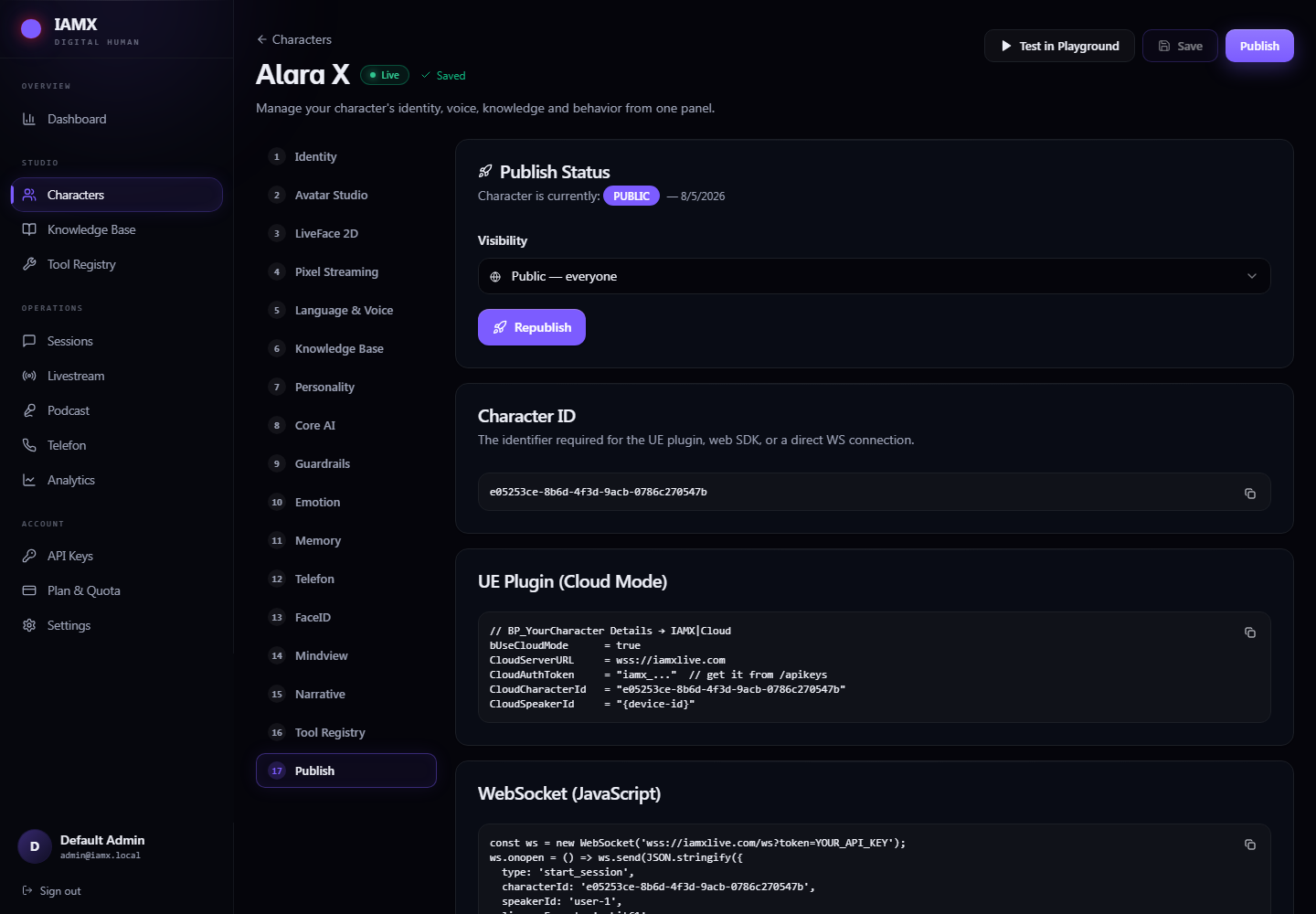
The IAMX Unreal plugin connects a character in your Windows 64-bit Unreal Engine project to IAMX's conversational AI, voice and facial animation. Blueprint nodes let your game start and end a conversation, send text, open the microphone, interrupt speech and pass in facts about the current game state, and the plugin passes the character's emotions and the actions you configure back to your Blueprints. With a stable ID for each player, long-term memory can recognize a returning player.
AI runs on the IAMX server, so the plugin needs an API key and a network connection, and usage counts against your plan. You bring the characters, animation and game logic; there are no Mac, Linux, console, mobile or VR targets. To show the scene in a browser, you run Pixel Streaming on your own GPU host; the IAMX web player does not forward clicks, keys or touch, so viewers can talk to the character but cannot control the scene. See AI NPCs and MetaHuman AI.
Education: Teacher Mode and IAMX Academy
Teacher Mode adds a classroom board beside the character for short notes, formulas and multiple-choice questions. It works on every plan within your usage units, and curriculum documents in the knowledge base need Starter or higher. The board appears in web embeds with a 3D avatar scene, not with LiveFace, Pixel Streaming or the Unreal plugin, and Teacher Mode creates no student accounts or grades. Formulas are read aloud with Turkish or English wording, and the board's teaching prompts are written in Turkish, so test lessons in other languages before you rely on them.
IAMX Academy is a separate Turkish-language site where students study with an AI avatar prepared by their chosen teacher, not with the teacher live. Academy is not part of IAMX plans: students buy hour packages for one teacher there, and study is one-to-one, with no group classes. See the AI teacher page.
Phone calls on Enterprise plans
On Enterprise plans, IAMX can connect a phone number through its Telnyx account so a character answers calls with its configured model, voice and instructions, in one set language per character. IAMX confirms the phone setup as part of your Enterprise agreement, and you set the character's greeting in its call language. Calls are audio-only, the call center view lists each call with a best-effort text transcript rather than a recording, and characters on realtime voice models do not use the knowledge base. See the AI phone agent.
Live streams, events and presentations
While your character is connected in one renderer (a browser session or an Unreal build), the operator console lets you queue, skip and ban viewer comments or write an answer yourself, while the character answers the rest aloud with AI. The console works on every plan, and each AI answer uses your usage units. Answers you write are spoken only with a free built-in voice or your own TTS provider key, and their lip sync is made for Unreal MetaHuman characters, so a browser avatar may speak them without matching mouth movement. Use a character that is not also live on your website, because comments and operator lines can reach any of its connected sessions.
Comments arrive through an authenticated API from a chat source you script; there are no native YouTube, Twitch or TikTok connectors. IAMX does not broadcast video: you capture the character with OBS or a similar encoder and stream as usual. For demos and events, the web 3D scene also runs scripted performances. See the virtual presenter page.
On-premises by agreement
By agreement, Enterprise customers can evaluate a Windows (x64, TPM-equipped) on-premises edition, installed with administrator rights and licensed for two months at a time through an offline file exchange. You supply the language model, speech-to-text and text-to-speech services through supported connections (OpenAI-compatible, Ollama, ElevenLabs or a custom HTTP/JSON adapter), local or cloud; no AI models are bundled. Phone calls, realtime voices, LiveFace cloud and Pixel Streaming are not available offline, because they depend on external services. To discuss an evaluation, contact IAMX.
Channels that are not built in
These channels are not built in today:
- WhatsApp, Telegram, Messenger, Instagram DM, SMS and email agents
- Slack, Microsoft Teams, Zoom and Google Meet (no virtual camera)
- Smart-TV apps and VR or AR headsets
- Native iOS, Android, React Native and Flutter SDKs; Unity and Godot
- Ready-made CRM, help-desk, calendar or shop connectors
On Starter and higher, you can register your system's HTTPS API in the Tool Registry so a character can call it, including n8n or Zapier webhooks you run; cloud endpoints must be public internet addresses, and your API should keep its own record of each request. Custom clients can use the WebSocket API, with documentation on request; their usage counts against your plan.
Use cases by industry
For sector examples of where to use digital humans, see use cases by industry. They are configurations you can build with these channels, not completed customer deployments.
Frequently asked questions
Can I add an IAMX AI avatar to my mobile app?
Not as a native SDK: IAMX has no iOS, Android, React Native or Flutter SDK, and in-app web views are not yet tested or supported. Mobile visitors can use an IAMX character in their phone browser through the website widget or embed. For a custom client, IAMX's real-time WebSocket API streams text, speech audio and lip-sync values that your app plays and renders itself; usage counts against your plan, and documentation is available on request.
Does IAMX work with WhatsApp?
No. WhatsApp, Telegram, Messenger, Instagram DM and SMS are not built-in IAMX channels. IAMX characters run on websites, in kiosk browsers, in Unreal Engine projects and, on Enterprise plans, in phone calls.
Which IAMX channels are available on the Free plan?
The IAMX website widget, embed page, browser kiosk, Teacher Mode and live-stream console work on the Free plan, which includes one character, 50 usage units, up to 50 replies a month and no knowledge storage. Free runs baseline AI models only; external tools and APIs start on Starter, face recognition and LiveFace need Pro or higher, and phone calls and on-premises are Enterprise-only. See pricing for every plan.
Can I use the same IAMX character on my website and a kiosk?
Yes. The same published IAMX character can run in the website widget and full screen in a kiosk browser. Each surface needs its own setup and testing, all conversations count against the same plan, and together they share that character's limit of 25 anonymous conversations at once.
Do I need Unreal Engine to use IAMX?
No. The IAMX website widget, embed page and browser kiosk run in a web browser. Unreal Engine is needed only to place an IAMX character in your own Windows Unreal project with the IAMX Unreal plugin, or to stream such a scene to browsers with Pixel Streaming.
Can an IAMX character work offline?
Not with the IAMX cloud service: the website widget, embed page and Unreal plugin need a network connection because AI runs on the IAMX server. By agreement, Enterprise customers can evaluate a Windows (x64, TPM-equipped) on-premises edition in which they supply local or cloud language, speech-to-text and text-to-speech services. No AI models are bundled with it, and phone calls, realtime voices and LiveFace cloud are not available offline.
Try your own workflow.
Prepare a character, ask real questions and check the experience on the device you intend to use. Contact us to discuss the scope of your setup.
Prepared by IAMX. Features and requirements.