Character: knowledge, memory & tools
What the character knows, who it remembers, and what it is allowed to actually do.
The tabs on this page are what separate a chatbot from something useful. A character with no documents can only improvise; one with your price list, your policies and permission to send an email can finish a job.
6 · Knowledge Base — what it can look up
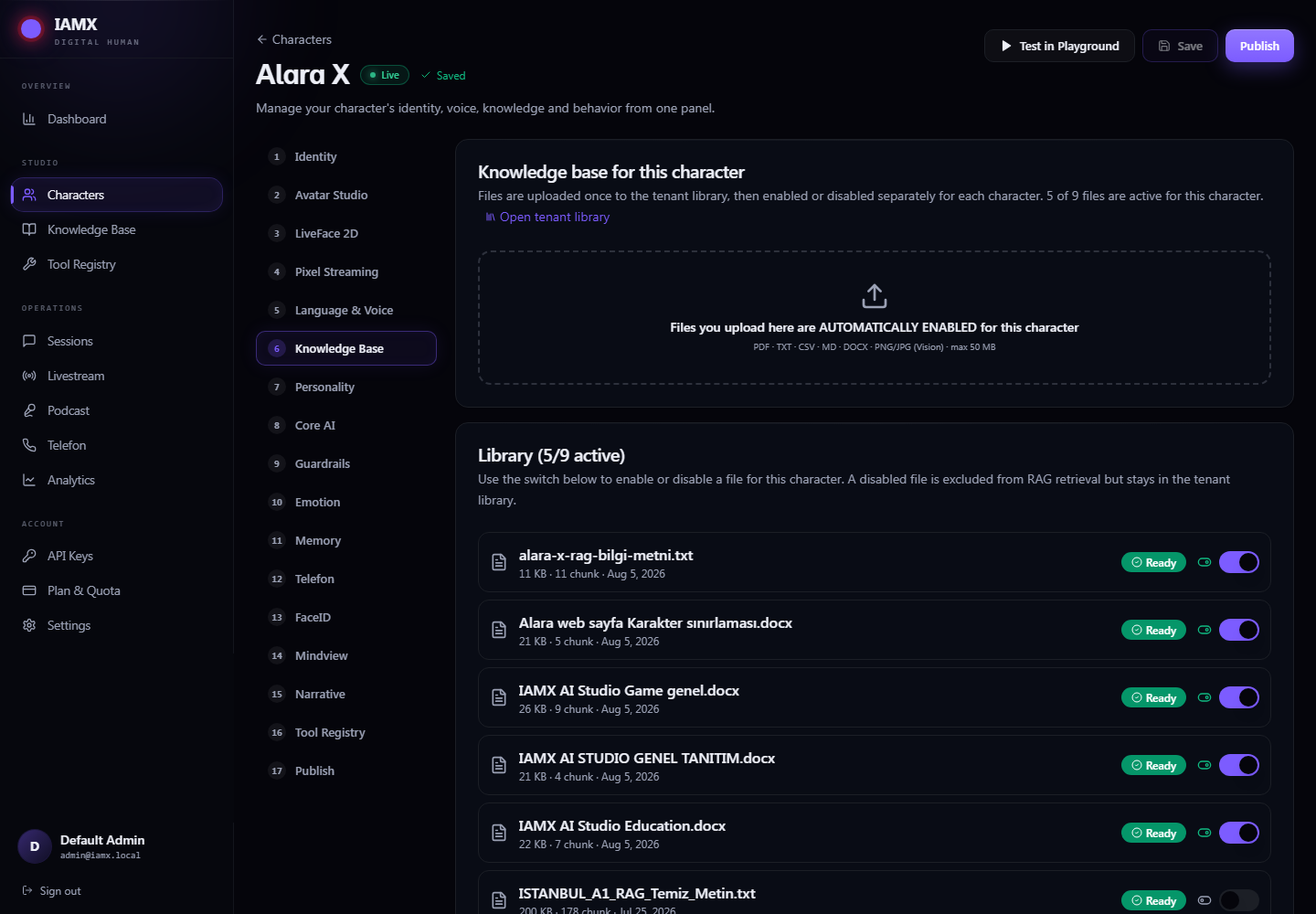
Documents live in a library shared by your whole workspace. Each character is then given permission to read specific ones. That way a price list can serve five characters without being uploaded five times, and your internal HR policy can stay away from the character on your public website.
| What you can upload | Limit |
|---|---|
PDF, Word (.docx), plain text, Markdown, CSV | 50 MB per file |
| Images — JPG, PNG, WebP (the text in them is read automatically) |
- Drop the files onto this tab. Anything uploaded here is switched on for this character straight away.
- Wait for
Ready. Each file goes throughProcessingfirst while it is read and indexed — a big PDF takes a little while. The list refreshes by itself. - Check the switches. Turn off anything this character has no business quoting.
- Test it. Type a realistic customer question into Search Test and press Enter. You should see the passages the character would find, each with a similarity score.
Ready and switched on. With no enabled files the character skips the search entirely, so an empty result is expected rather than a sign of a broken index.Writing documents a character can actually use
- Split by topic, not by department. One file per subject retrieves far better than a 200-page handbook.
- Put the answer near the question. Documents written as headed questions and answers retrieve better than continuous prose.
- Keep facts out of the persona. Prices and hours change; a document can be re-uploaded in seconds, whereas editing the persona means re-testing the character's whole tone.
11 · Memory — who it remembers
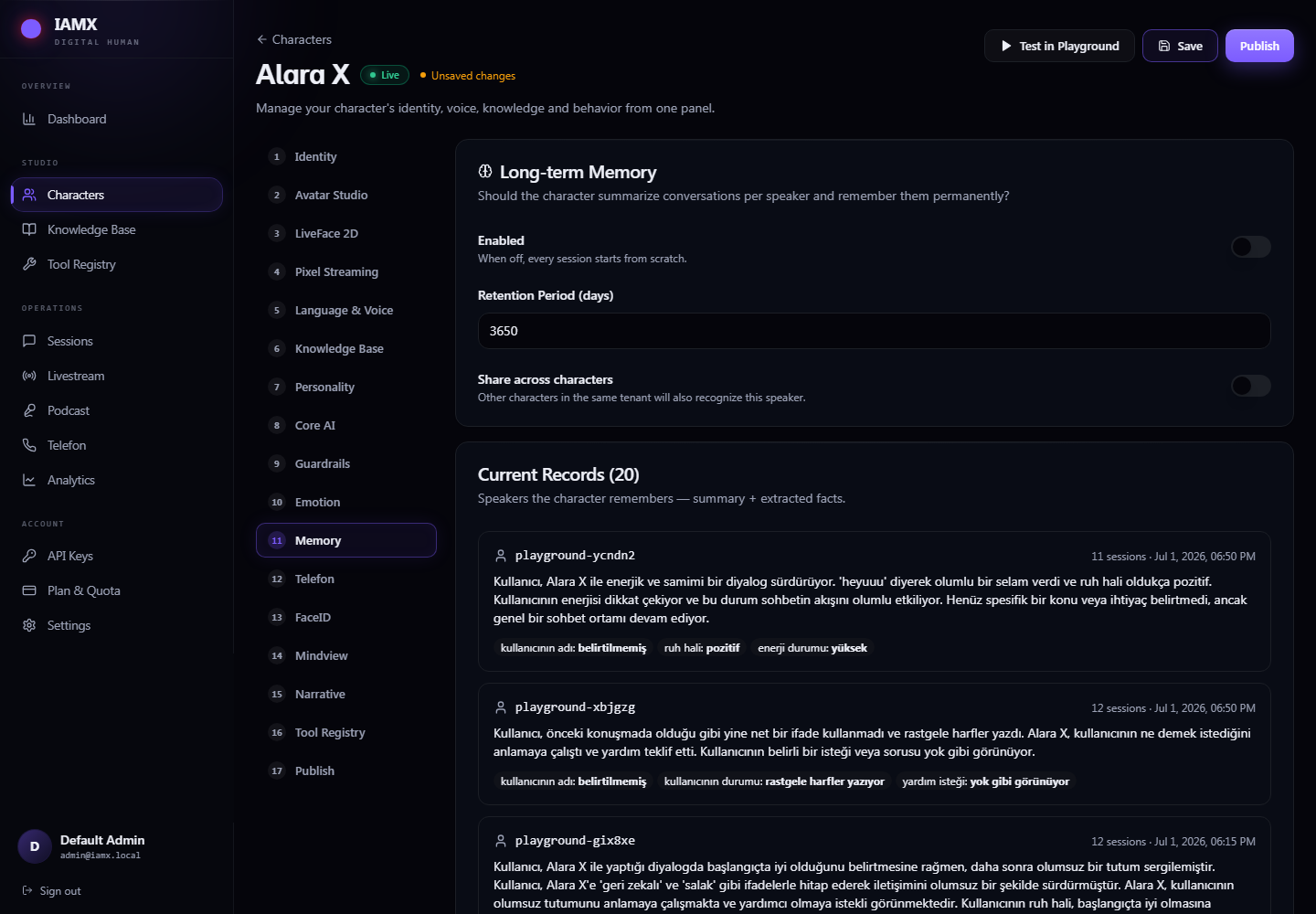
With memory enabled, the character carries what it learned about a person into their next visit — the returning customer is greeted by name and does not have to explain their situation twice. Switch it off and every conversation starts from a blank page, which is the right choice for a public demo where visitors should stay anonymous.
16 · Tool Registry — what it can do
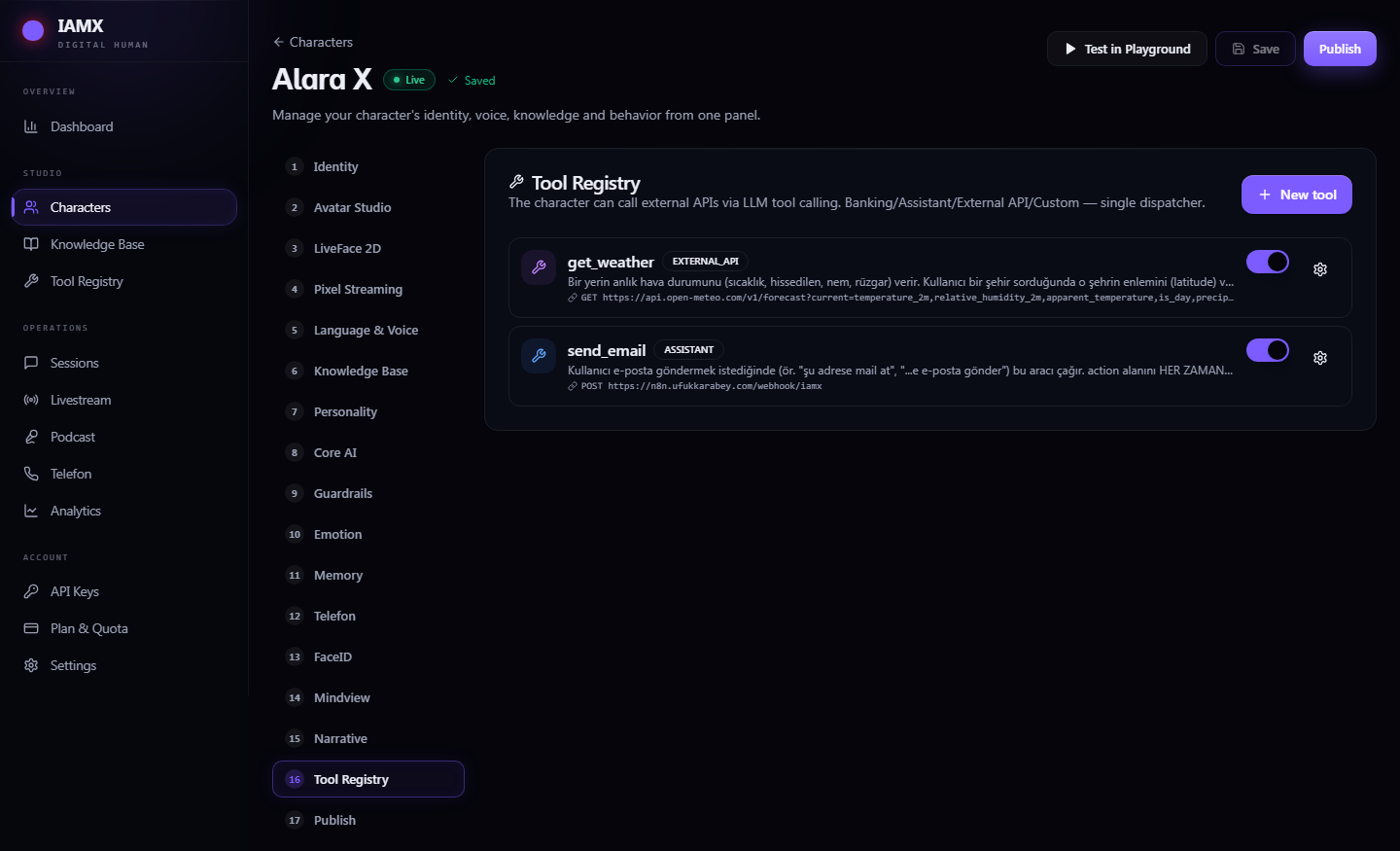
A tool is a real action: check a balance, send an email, look up an order, call your own API. You describe it once in the workspace registry, then decide which characters may use it. When the conversation calls for it the character decides to invoke the tool itself, uses the result, and answers in its own words.
Defining a tool
Tool Registry → New tool starts from a template — including a keyless weather API that is the ideal first test.
| Field | What to put in it |
|---|---|
| Name | Lower case with underscores: send_email, check_balance. The AI sees this name. |
| Description | Write it for the model, not for a colleague: "Use this when the customer asks to transfer money." This sentence is how it decides whether to call the tool at all. |
| Method & URL | Your endpoint. It must be reachable from the public internet. |
| Auth Type | None, Bearer token, Basic, or an API key in a header or query parameter. |
| Parameter Schema | The inputs, each with a clear description — that text is what the model uses to fill them in correctly. |
| Identity must be verified | Turn this on for anything involving money or personal data. The call is refused unless the person has been verified. |
- Create the tool from a template and adjust it.
- Come back to the character's Tool Registry tab and switch it on. A tool that exists but is not switched on is invisible to the character.
- Start a fresh conversation and try it. Tools are handed to the character when a conversation begins, so one that is already in progress will not see a newly added tool.
- Check Tool Registry → Execution Log in the sidebar for the audit trail.
localhost or an address on your office network is refused deliberately — otherwise a character could be talked into probing private infrastructure. Self-hosted automation tools need a public address or a tunnel.14 · Mindview — see what the character is told
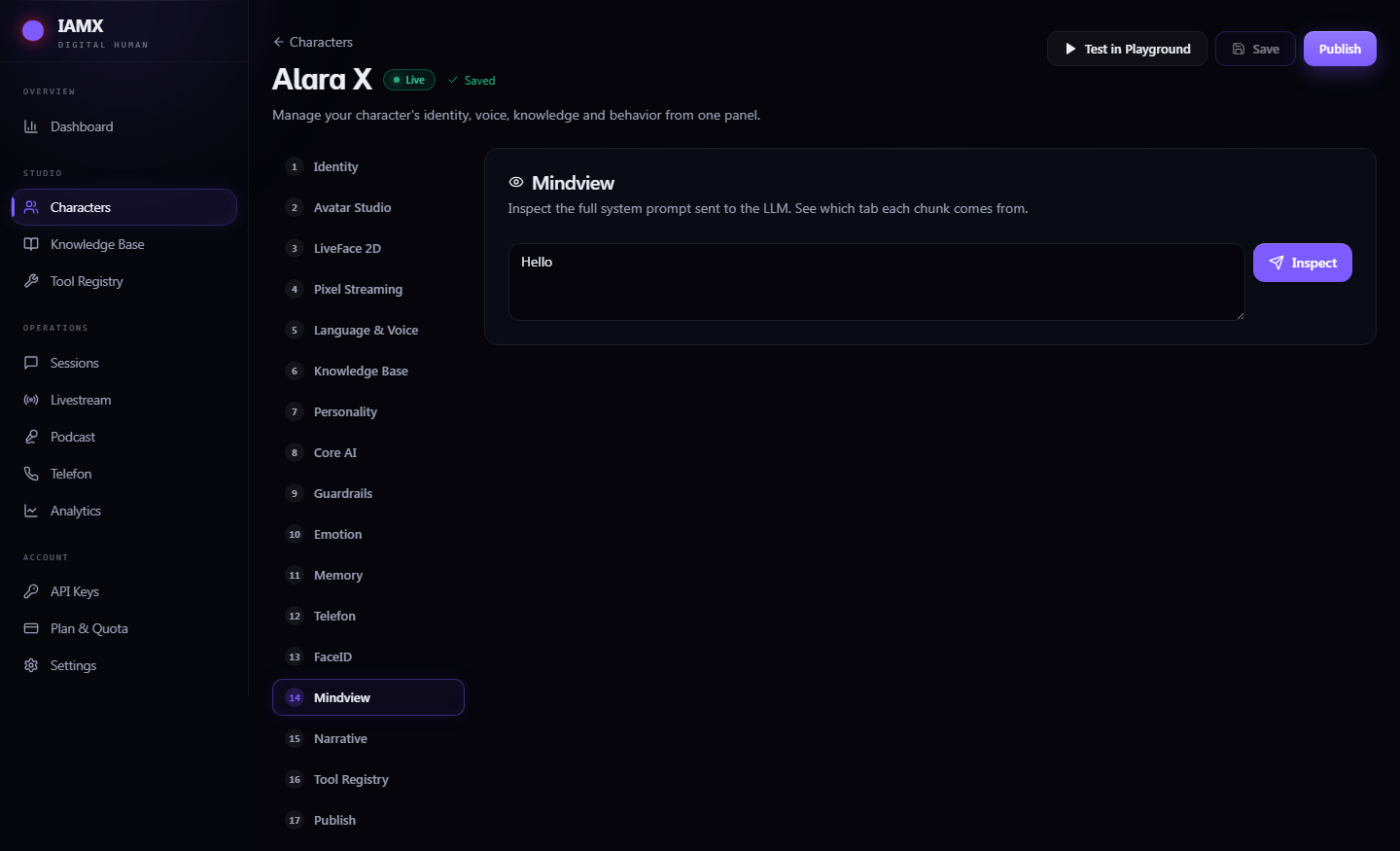
Mindview answers the question "why is it behaving like that?". Type a message, press Inspect, and you get the character's instructions laid out by origin: its persona, its rules, its personality, its mood, and the tools it currently holds — each panel labelled with a character count so you can see what is dominating.
It is the fastest way to catch the common mistakes: a guardrail that contradicts the persona, an example dialogue that never got saved, or a tool you thought was attached and isn't.