Learn with your teacher's avatar
Teachers prepare the material and teaching style. Students study with their teacher's AI avatar, ask questions and complete individual assignments.
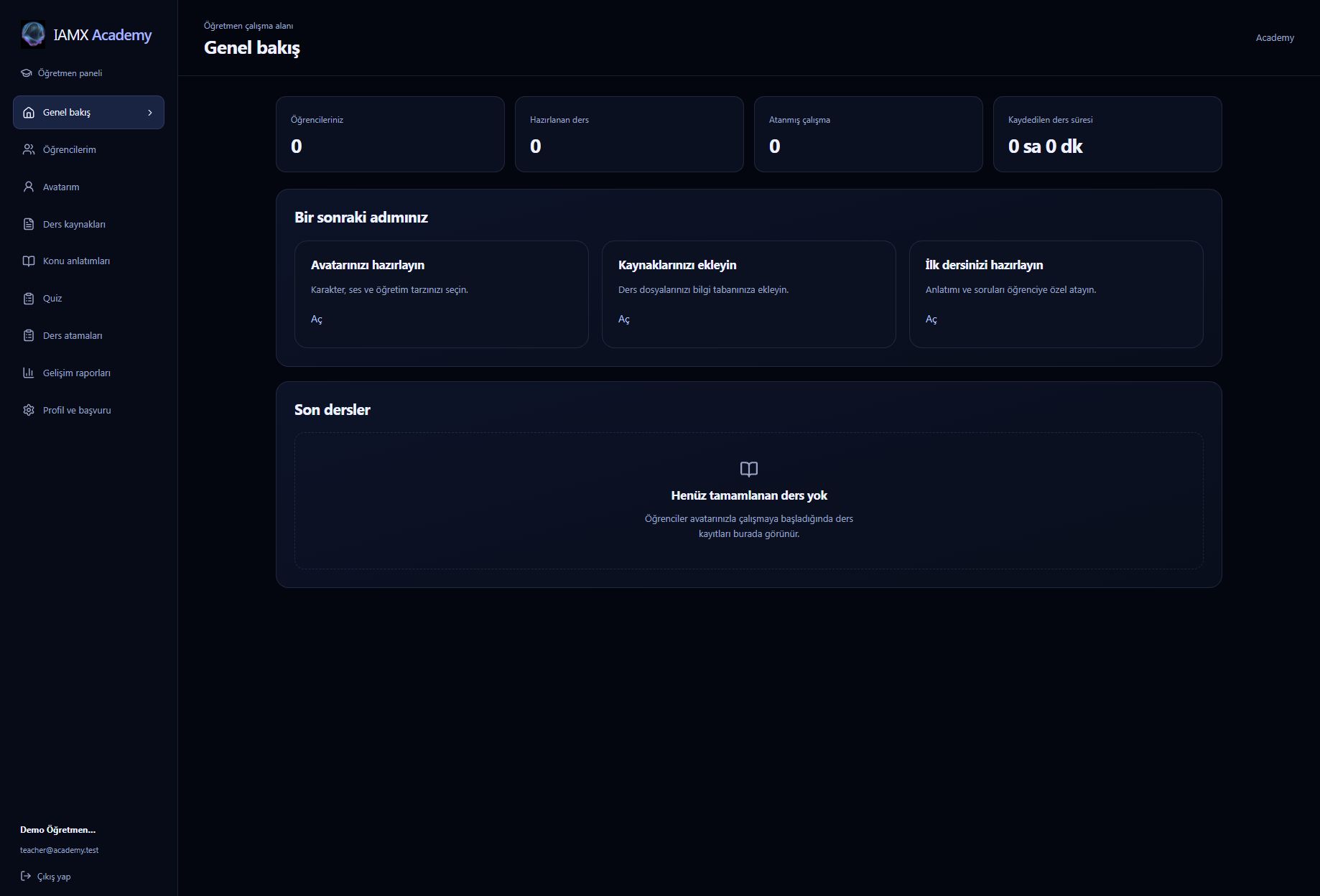
I'm a teacher
Prepare your profile, avatar and resources, rehearse a lesson, then assign it to a student.
I'm a student
Choose a teacher, check your lesson hours and start a conversation or assigned lesson.
Where to start
Open IAMX Academy. Use Öğretmenim when registering as a teacher or Öğrenciyim as a student. Returning users can sign in to Academy directly. Teachers and students use their Academy workspace for everyday learning tasks.
The current Academy interface uses Turkish labels. These guides include the exact labels beside their English explanation so you can find the right control.
How Academy works
- A teacher submits an application. They provide their subject, teaching levels, introduction and verification document. The platform administrator or an authorized teacher reviews it.
- The teacher prepares their avatar and lessons. They choose an appearance, voice and teaching style, add source material and rehearse the experience.
- The student chooses a teacher and a package. A student can learn with several teachers; each teacher has a separate balance of lesson hours.
- The student starts studying. They can open an assigned lesson or use Öğretmene bağlan to ask their teacher's avatar questions without waiting for an assignment.
- The teacher reviews progress. Recorded study time, answers and topic results help the teacher choose the next activity. A saved AI report can summarize that student's work.
Three ways to study
| Mode | Teacher prepares | Student does |
|---|---|---|
| Konu anlatımı Guided lesson | Pages with narration, board text or images, and optional understanding checks. | Listens, follows the board, asks for help and continues through the lesson. |
| Soru-cevap Questions and answers | A topic and optional guidance, greeting, resources or support cards. Prepared pages and questions are not required. | Asks their own questions by voice or text. The board can support explanations when useful. |
| Quiz | Questions, answer options, correct answers and optional solution explanations. | Answers each question, receives feedback and moves to the next one. |
Packages and lesson time
The IAMX administrator manages package durations and prices. Check the packages displayed for your selected teacher for current availability, total cost and hourly price. Teachers do not set these prices in their Academy workspace.
Opening a lesson or connection screen does not start usage. The selected teacher's balance begins to be used when the student presses Derse başla or Sohbete başla. Use Duraklat when taking a break. Downloading available resources does not start lesson time. Teacher rehearsals do not deduct student hours.
Who manages what?
| Role | Responsibilities |
|---|---|
| Teacher | Profile, avatar, teaching resources, lesson content, individual assignments and reports for their students. |
| Student | Teacher selection, purchases, questions, assigned work and their own learning progress. |
| IAMX administrator | Teacher approvals, review permissions, common package pricing, payment configuration and Academy service settings. |
Continue with your role
Follow the teacher guide to prepare and test a first lesson, or the student guide to start studying. For classroom boards on a general IAMX character outside Academy, see Teacher mode.