Phone calls
A real number that your character answers — with the same voice, knowledge and rules it uses everywhere else.
Telephony puts your character on the end of a phone line. Someone dials the number, the character picks up and greets them, and the conversation runs through exactly the same pipeline as a kiosk or a website chat: its own voice, its own model, its documents, its memory, its tools. Nothing about the character is special-cased for the phone.
What you need first
IAMX does not sell phone numbers — you bring your own from a carrier (Telnyx), which keeps the number, the billing and the regulatory side in your name.
- Buy a number in your carrier account.
- Create a Voice API application there and set its webhook address to the one shown on the character's Telefon tab.
- Attach the number to that application.
- Tell IAMX your carrier credentials — contact support and they are installed for your workspace.
Setting up a character to answer
Open the character, go to the Telefon tab, and fill in three things:
| Field | Notes |
|---|---|
| Enabled | Off means calls to this number are declined. Use it to take a line out of service without releasing the number. |
| Phone number | Full international format, starting with + — for example +902125550100. This is used both to route incoming calls and as your caller ID when dialling out. |
| Greeting | The first sentence the character says when it picks up, in its own voice. Leave it blank for a default. |
Save, then call the number from your own phone. You should hear the greeting within a couple of rings.
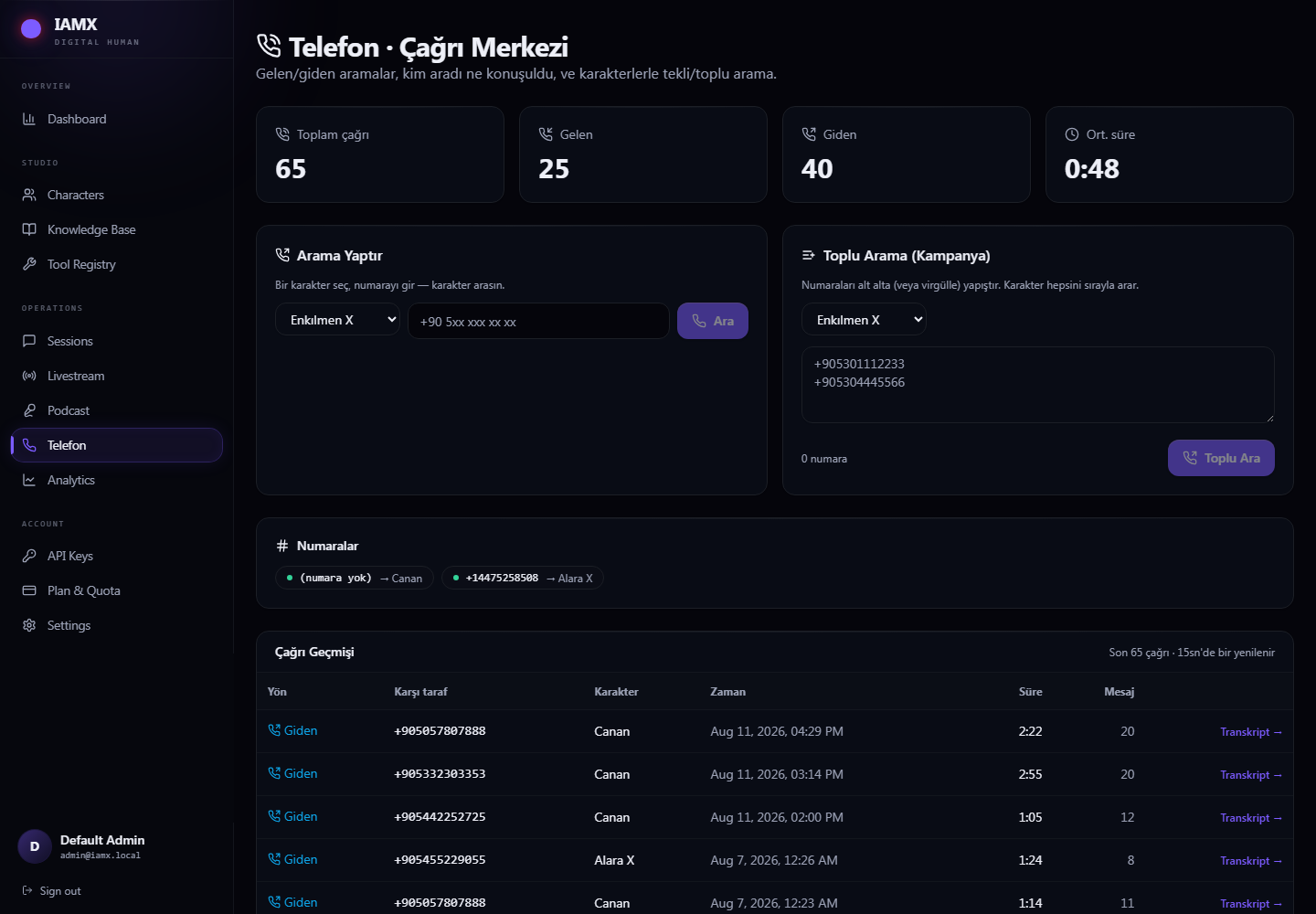
The call centre page
| Panel | What it gives you |
|---|---|
| Statistics | Total calls, inbound, outbound, and the average length. |
| Make a call | Pick a character, type a number, press Call — that character rings the number and starts the conversation. |
| Bulk campaign | Paste a list of numbers, pick the character, and it works through them one at a time. |
| Numbers | Which number belongs to which character, and whether the line is live. |
| Call history | Direction, the other party, the character, when, how long, how many exchanges — and the full transcript of every call. |
Bulk campaigns
Paste numbers separated by new lines, commas or semicolons, up to two hundred per batch. Calls are placed one at a time with a few seconds between them, so the campaign starts immediately and works through the list in the background.
Reading the transcripts
Every call is recorded as a conversation like any other, so the Transcript link opens the whole exchange, line by line. This is the fastest way to find out why a call went wrong — usually it turns out the character was asked something it had no document to answer from, which is a fix on the Knowledge Base tab rather than anything to do with the phone.
Making it sound good on the phone
Phone audio is narrow and noisy, and callers are less patient than website visitors. Three settings matter more here than anywhere else:
- Use a fast voice model. Half a second of silence is invisible in a chat window and excruciating on a call. On the Language & Voice tab, the fastest model is the right one.
- Keep answers short. Lower Max Tokens on the Core AI tab — nobody wants a paragraph read to them down a phone line.
- Write a greeting that says who is speaking. Callers who do not realise they have reached an automated line get frustrated fast. "Hello, you've reached the Acme assistant — how can I help?" sets expectations in one sentence.
When something goes wrong
| What you see | What it usually is |
|---|---|
| The number rings out or is declined | The character's Enabled switch is off, the number is written differently from the carrier's version, or the plan is no longer Enterprise. |
| Dialling fails immediately | Carrier credentials are missing, or you pressed Call before saving the number. |
| The caller is heard badly / the character mishears | Phone audio is far poorer than a microphone. Keep answers short and check the transcript to see what it actually heard. |
| Outbound calls show the wrong caller ID | The character has no number saved of its own, so the workspace default was used. |