Account, keys & quota
Where your credentials live, which key goes where, and how the monthly allowance is actually counted.
Three menus in the Account group handle everything outside the characters themselves: Settings holds the keys to your AI suppliers, API Keys issues the credentials your own software uses, and Plan & Quota shows what you are consuming.
Settings → API Keys = your accounts with suppliers (OpenAI, ElevenLabs, Google, Anthropic, MiniMax). IAMX uses these to generate speech and answers on your behalf.
Account → API Keys = IAMX credentials for your software. They begin with
iamx_ and are what your Unreal project or website presents when it connects.Settings — your provider keys
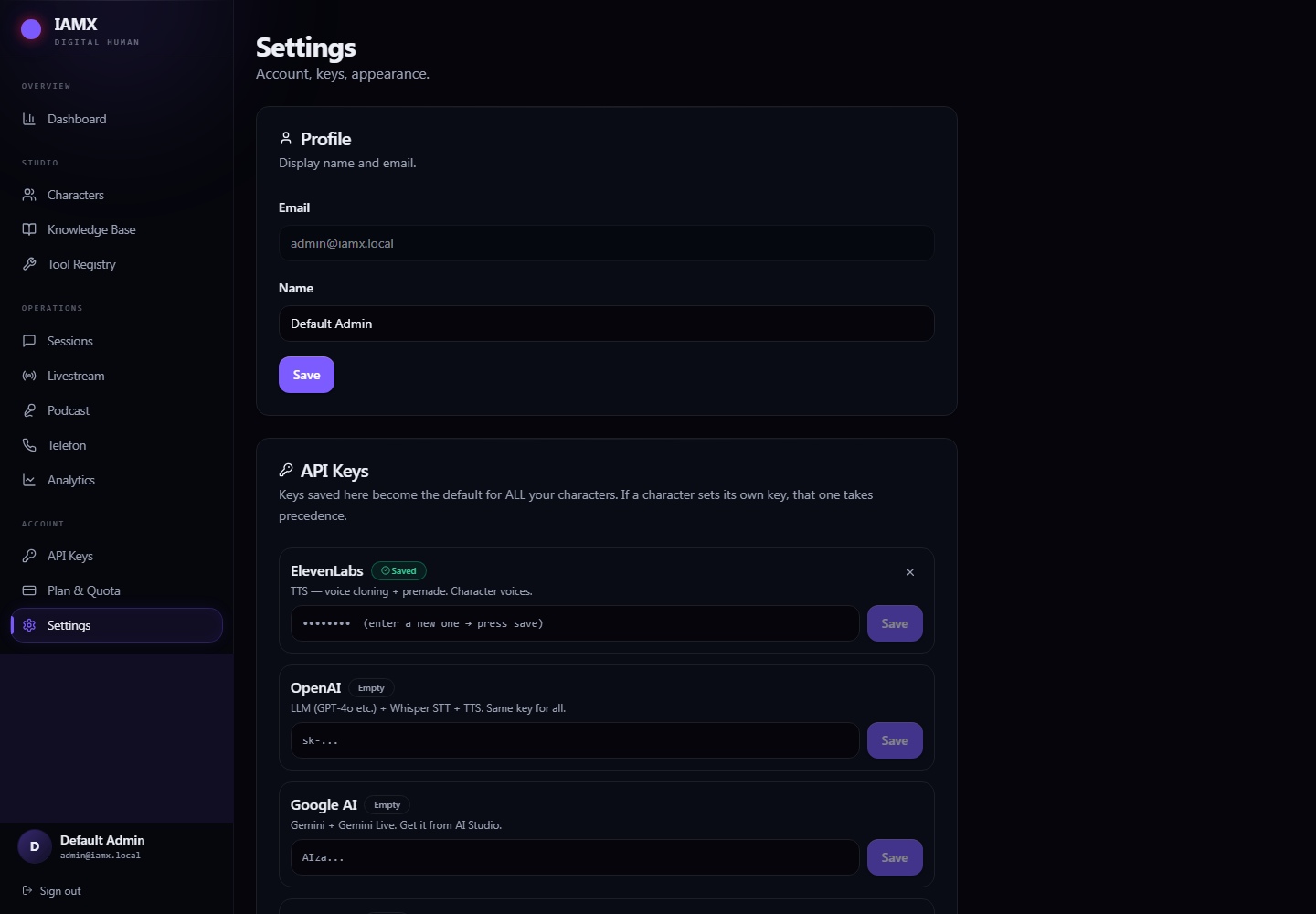
Keys saved here become the default for every character in the workspace. You paste each one once. A character can still override the voice key on its own Language & Voice tab when you want separate billing for that character — the character's own key always wins.
| Provider | Used for | The key looks like |
|---|---|---|
| OpenAI | Language models, speech-to-text, text-to-speech. One key covers all three. | sk-… |
| ElevenLabs | Premium voices and voice cloning. | sk_… — exactly 51 characters |
| Google AI | Gemini and Gemini Live. | AIza… |
| Anthropic | Claude models. | sk-ant-… |
| MiniMax | Alternative text-to-speech. | key:groupid |
sk_. If you have lost it, open the key's ⋮ menu and choose Rotate, then copy the value immediately.Keys are never sent back to your browser after they are stored — the page can only tell you whether one exists. To replace a key, type the new one and save; to remove it, use the ✕ button on the row.
API Keys — credentials for your own software
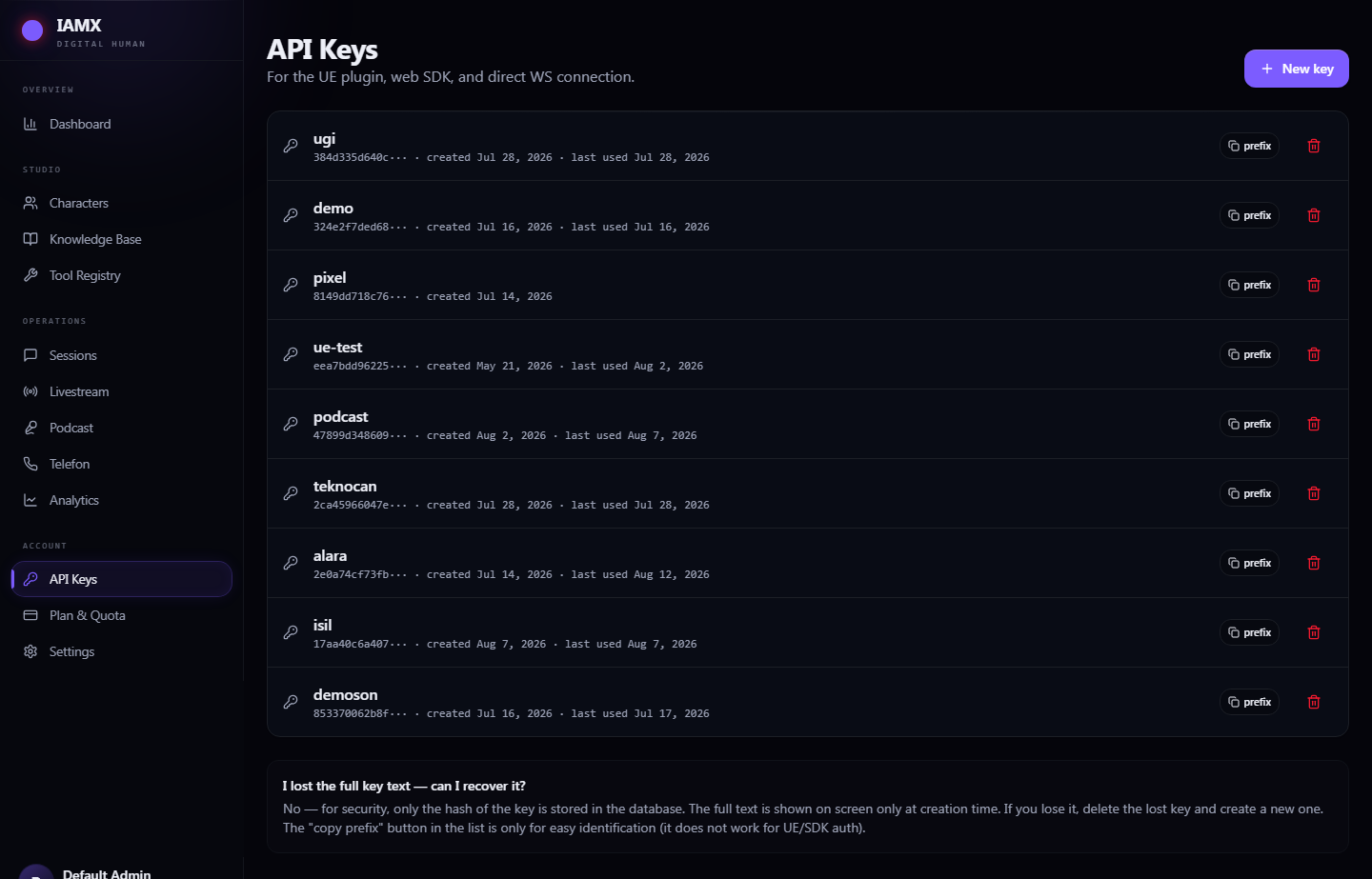
An IAMX API key is what your Unreal project, your website's embed, or your own application presents when it opens a conversation. Create one per deployment so you can revoke a single device without disturbing the others.
- Press
New keyand give it a name that says where it will live —lobby-kiosk-1,company-website,dev-laptop. The name is for you; it has no effect on what the key can do. - Copy the key immediately. The full value is shown exactly once, in the amber panel. IAMX stores only a fingerprint of it, so nobody — including support — can recover it later. If you lose it, delete the key and issue a new one.
- Paste it where it belongs. In Unreal: the IAMX component's
CloudAuthTokenfield. On the web: the?token=parameter of the WebSocket URL, or theapiKeyparameter of the iframe.
Revoking: the trash icon disables a key immediately and permanently. Anything still using it stops connecting on its next attempt. When you rotate a key in production, create the new one and deploy it first, then delete the old one.
Plan & Quota
How the monthly allowance is measured
IAMX does not charge you per word or per second. Your plan carries a monthly allowance, and every conversation turn draws from it. What matters is that different models draw at very different rates, because they cost very different amounts to run.
| What the character is running | Roughly how much of the allowance one turn uses |
|---|---|
| A fast, small model (mini / flash / haiku class) with standard voice — the default setup | 1× — this is the baseline |
| A large flagship text model (GPT-5.4, Claude Sonnet, Gemini Pro, Grok 4) | 3× |
| The very largest models (GPT-5.5, GPT-5.6 Sol, Claude Opus) | 5.5× |
| Gemini Live real-time voice | 6× |
| OpenAI Realtime voice | 7× (mini) to 22× (flagship) |
| A model running locally on your own server | 0.25× |
| Sending a camera frame with the turn | +1× on top |
What happens when the allowance runs out
Conversations stop, with an explanatory message rather than silence. Three different limits can trigger it:
- The monthly allowance is spent. The character replies with a quota message until the 1st of the next month, or until you upgrade.
- Not enough left for this model. If a real-time turn needs 22× and you have 3× remaining, that turn is refused while a cheaper model would still work. Switching the character to a smaller model gets you moving again immediately.
- The premium-model sub-limit is spent. Plans carry a separate cap on the largest models. Switching to a mini-class model keeps the character running on the main allowance.
The plans
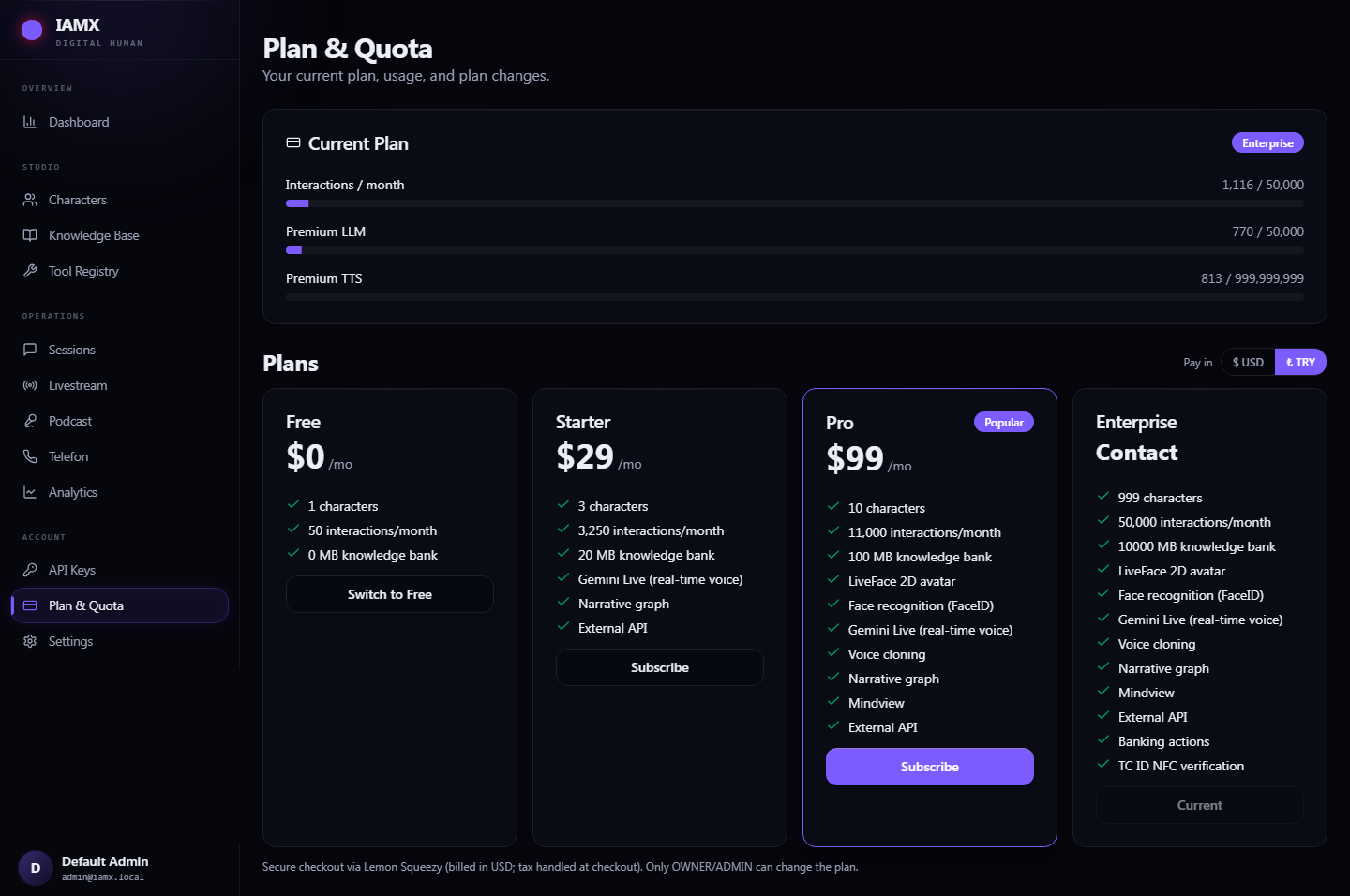
| Free | Starter | Pro | Enterprise | |
|---|---|---|---|---|
| Characters | 1 | 3 | 10 | 999 |
| Monthly allowance | 50 | 3,250 | 11,000 | 50,000 |
| Knowledge Bank | — | 20 MB | 100 MB | 10 GB |
| Narrative, external APIs, Gemini Live | — | ✓ | ✓ | ✓ |
| LiveFace 2D, FaceID, Mindview, voice cloning, OpenAI Realtime | — | — | ✓ | ✓ |
| Banking actions, ID verification, phone, on-premise | — | — | — | ✓ |
Features above your plan appear in the character editor with a padlock; clicking one brings you here rather than opening the tab. Changing plan is limited to the workspace owner or an admin.